How to Clean a Robot Vacuum (Filter, Brush, Sensors & Dock)
Cleaning a robot vacuum takes 15–30 minutes and mostly means the filter, brush roll and sensors. See the weekly routine and the monthly deep clean.
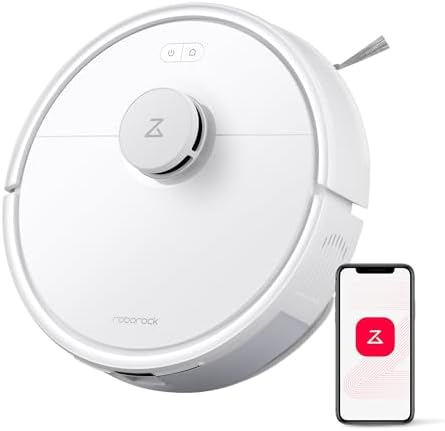
A robot vacuum that seems to be “getting worse” is almost never broken — it is overdue for cleaning. Five minutes a week on the right parts keeps suction strong, navigation accurate, and the battery alive. Here is the routine that works on essentially every model.
This is an independent maintenance guide. We may earn a commission from links on this page.
The 5-minute weekly routine
- Empty or check the bin. A full bin drops suction immediately. If you have a self-empty dock, just confirm the base bag/bin isn’t full.
- Clear the main brush. Pull hair off the roller. Rubber brushes resist tangling, but nothing is immune to long pet hair — run your fingers along the bristles and cut anything wrapped tight.
- Wipe the sensors. Dust on the LiDAR turret or bumper sensors causes walls and furniture to “move” from the robot’s point of view. A dry microfibre cloth is enough.
- Check the wheels. Hair wound around the drive wheels is the #1 cause of the robot veering or stopping.
- Wipe the charging contacts on both the robot and the dock.
Monthly: the filter and the dock
- Filter: tap it out, then rinse (if washable) and let it dry fully — a damp filter clogs and can damage the motor. Replace every 1–3 months, more often with pets.
- Mop pads (if any): wash or replace; a stiff, dirty pad smears rather than cleans.
- Dock: empty the water tanks, wipe the wash tray, and check the auto-empty path for blockages.
The mistakes that shorten a robot’s life
Most of the damage we see reported comes from cleaning that is either too aggressive or incomplete. Both cost you a machine early.
- Washing the filter and refitting it damp. A wet filter chokes airflow and can push moisture into the motor housing. Air-dry it for a full 24 hours, never on a radiator.
- Rinsing the brush module under a tap. Water gets into the gearbox at the ends. Brush the ends dry and only wipe the module with a damp cloth.
- Using a wet cloth on the sensors. The LiDAR turret and bumper sensors tolerate a dry microfibre wipe and nothing more.
- Ignoring the dock. A dirty charging contact causes voltage drop, which shows up later as “the robot has poor battery life.”
- Vacuuming the filter with a household vacuum. Fine dust passes straight through most bags and coats the motor. Tap it out over a bin instead.
Cleaning schedule by household
How often you clean depends almost entirely on what is on your floors, not on how often the robot runs. Hair and fine dust are what load the filter and wrap the brush.
| Household | Filter rinse | Brush check | Sensors wipe |
|---|---|---|---|
| No pets, hard floors | every 3 months | monthly | monthly |
| One pet | every 6–8 weeks | every 2 weeks | every 2 weeks |
| Multiple pets / carpet | monthly | weekly | weekly |
If you are in the bottom row, budget one full deep clean per month. Anything less and you are cleaning reactively — the robot will lose suction before you notice the filter is loaded.
When cleaning stops helping
If the robot still underperforms after a full clean, the issue is usually suction or the battery, not dirt. For pet-heavy homes, our pet-hair picks focus on the brushes and docks that handle hair best. If it is simply time for an upgrade, combo models with self-washing docks cut most of the manual work.
Before you replace anything, check two things: whether the filter is actually dry when you refit it, and whether the battery still holds a full run. Those two account for most “it used to clean better” complaints, and both are cheap to fix.
FAQ
How often should I clean a robot vacuum? Give it five minutes weekly for the bin, brush, and sensors. Do the deeper pass — filter rinse, dock contacts, wheel inspection — monthly. Households with pets should double that frequency.
Can I wash the filter? Only if the manufacturer labels it washable. Rinse it under cool water, never scrub it, and let it air-dry for a full 24 hours before refitting. A damp filter will choke airflow and can damage the motor. Non-washable filters should be tapped out and replaced every two to three months.
Why is my robot vacuum losing suction after cleaning? Usually the filter went back in damp, or it is simply at the end of its life and the pleats are packed. A clogged filter is the most common cause of weak pickup. If suction is fine but the robot is missing rooms, the problem is navigation, not dirt — clean the LiDAR turret and bumper sensors.
How do I clean the brush roll ends? Pull the brush out and look at the end caps. Hair wraps around the axle inside them, and that is what stalls the motor. Cut the wraps with scissors rather than pulling, then spin the brush by hand to confirm it turns freely before refitting.
Do I need to clean the charging dock? Yes, and it is the step most people skip. Wipe the contacts on both the robot and the dock with a dry cloth every month. Dirty contacts cause partial charging, which reads as a failing battery weeks later.