Robot Vacuum Keeps Stopping? 10 Causes and How to Fix Them
A robot vacuum that keeps stopping is usually reporting a stuck wheel or brush, a dirty sensor, or a low battery. Read the error code first — here is how.
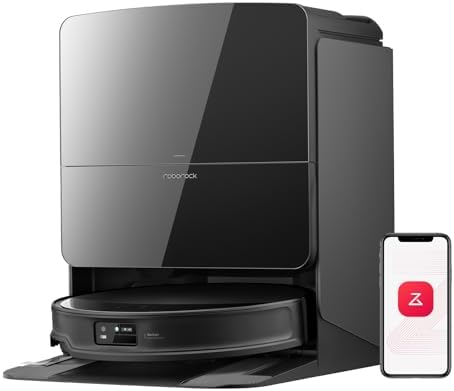
A robot vacuum that halts every few minutes is usually reporting a problem it cannot solve itself. Work down this list — it is ordered from the most common cause to the rarest.
Independent troubleshooting guide. We may earn a commission from links on this page.
1. Hair wrapped around the wheels (most common)
Long hair winds around the drive wheels until they stall. Flip the robot over, cut the hair out, and spin each wheel by hand — it should turn freely.
2. A stuck or clogged main brush
A jammed brush triggers the same “stopped” beep. Remove the brush, clear the ends, and check the end caps for hair.
3. Full dustbin or blocked filter
A saturated filter chokes airflow; the robot may stop to protect the motor. Tap the filter, rinse if washable, and let it dry completely before refitting.
4. Dirty sensors or LiDAR
Dust on the bumper sensors or the LiDAR turret makes the robot think it is trapped. Wipe them with a dry cloth.
5. Cliff sensors on dark floors
Dark rugs or black thresholds can read as a “cliff,” so the robot refuses to proceed. Tape over the cliff sensors or set a no-go zone.
6. Thick or fringed carpet
High-pile or tasselled rugs can stall the drive. Set a no-go zone around them.
7. A stuck wheel off the ground
Cables, rug edges, or a slow descend off a step can leave a wheel spinning in air. Clear cords and add a threshold strip.
8. Low battery / worn battery
If it stops in the same spot every time after the same duration, the battery may be near end-of-life. Check the battery health in the app.
9. Wi-Fi / app disconnect
If it stops and the app shows “offline,” the schedule may be failing on a weak signal. Move the dock closer to the router.
10. Firmware glitches
A rare but real cause. Power-cycle the robot (hold the power button 10s) and update firmware in the app.
The fastest way to diagnose
Open the app and read the error message — most models name the exact fault (wheel stuck, brush jammed, bin full). Nine times out of ten the fix is physical cleaning, not repair.
If your robot stops because it genuinely cannot handle your home, the limit is usually navigation or suction. See our self-emptying picks for models that handle larger, more complex spaces.
How to find the fault in five minutes
You do not need to disassemble anything to narrow this down. Do these four checks in order and you will land on the cause in most cases.
- Read the app. The error text names the component: wheel, brush, bumper, cliff, or battery. Screenshot it before you clear it — you will want the exact wording if you contact support.
- Flip the robot and spin each wheel by hand. A wheel that resists or clicks is a hair wrap. A wheel that spins freely with the robot on the floor means the problem is elsewhere.
- Lift it and watch the brush. If the brush stalls when you tap it, the ends are packed with hair. If it spins freely but the robot still stops, the fault is a sensor.
- Run it in one room with the lights on. If it completes the room clean but fails in the hall, the trigger is environmental — a dark rug, a threshold, or a cable.
Write down which check caught it. That record is what stops you repeating the same diagnosis next month.
How the ten causes rank by repair cost
Most of this list costs nothing but five minutes. Only two entries are worth spending money on, and both are easy to identify before you buy anything.
| Cause | Typical fix cost | Sign it is this one |
|---|---|---|
| Hair, brush, bin, filter | $0 | Error names brush or wheel; robot stops near the same spot |
| Sensors, cliff, carpet, wheel-in-air | $0–20 | Stops on dark floors or thick rugs only |
| Firmware | $0 | Started after an app update |
| Battery | $30–80 | Stops after the same runtime, every single run |
| Drive motor or gearbox | $80–200 | Wheel grinds or does not turn even when clean |
If the robot stops after an identical number of minutes on every run, suspect the battery before anything else. A failing cell does not care what the floor looks like.
When to replace rather than repair
Robot vacuums are one of the few appliances where repair often costs more than the machine is worth. A drive-motor replacement on a two-year-old mid-range unit commonly runs half the price of a new one, and you keep the worn battery, brushes, and sensors.
Replace instead of repairing when:
- The robot is out of warranty and the fault is a motor, gearbox, or the mainboard.
- The battery is failing on a unit more than three years old — a new battery is fine, but pairing it with a tired drive system rarely pays off.
- Parts are no longer sold. Some brands stop stocking brush modules two generations back.
- You are cleaning the same fault for the third time in a year.
If you are buying again, the models that handle complex floors without stalling are the ones with better navigation, not bigger bins. Our self-emptying picks and combo models with self-washing docks both cover which navigation systems cope with dark floors and thick pile.
Maintenance that stops the fault coming back
The ten causes above are rarely random. They follow a pattern set by how the robot is kept:
- Clear the wheels and brush weekly, not when the robot complains. Hair wraps are cumulative.
- Wipe the bumper and LiDAR turret every two weeks. Dust on the turret is the quiet cause of “trapped” errors months later.
- Rinse the filter monthly and dry it fully. A damp filter chokes airflow and mimics a dead motor.
- Keep dark rugs and thresholds on a no-go zone rather than expecting the cliff sensors to learn.
- Keep cables off the floor. A charging cable is the single most common wheel-in-air trigger.
- Note the date you replaced the battery. Runtime complaints are almost always battery age.
FAQ
Why does my robot vacuum stop after a few minutes? A few minutes points to a sensor or a filter, not the battery. A clogged filter chokes airflow and the robot stops to protect the motor; dust on the bumper or cliff sensors makes it think it is trapped. Clean both and run it again in one room.
Why does it stop in the same spot every time? That is environmental, not mechanical. Something at that spot is reading as an obstacle or a cliff — a dark rug edge, a threshold strip, a mirror, or a cable. Set a no-go zone there, or tape over the cliff sensors if the floor itself is dark.
Why does it stop after the same number of minutes on every run? That is the battery signature. A worn cell drops below the cutoff threshold after a fixed runtime regardless of the floor. Check battery health in the app, and expect to replace it between two and four years depending on how often you run the robot.
It works when I watch it but fails when I leave. What is different? Schedules run when the house is dark or empty. If the robot only fails unattended, suspect lighting-related sensor readings, a closed door changing the map, or a Wi-Fi drop that interrupts the schedule mid-run. Move the dock closer to the router and check the app log.
Is it worth repairing a robot vacuum? Usually not, once the fault is a motor, gearbox, or mainboard and the unit is out of warranty. The repair typically costs 40–50% of a new machine while leaving the old battery and brushes in place. Cleaning, sensor, and battery faults are all worth fixing yourself.